Select Categories
How to Check Referral Performance & Referral Record
March 12, 2026Section 1: Introduction
In this topic, you will learn how to view the performance of each referral and referral record.
Section 2: How to Access to Affiliate Marketing & Referral
Here are the fastest ways to access Affiliate Marketing & Referral:
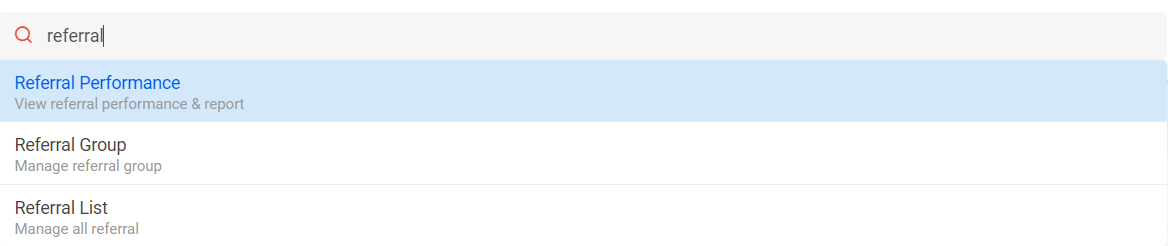
Method 1: Search for “Referral Performance” in the search menu bar at the top of NMS.
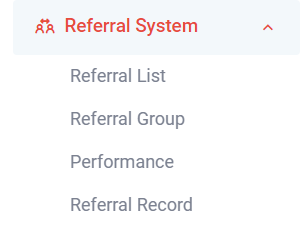
Method 2: After activating the plugin, refresh your browser. It will appear in the left side menu
Section 3: How to Check Commission-Based Referral Performance and Records
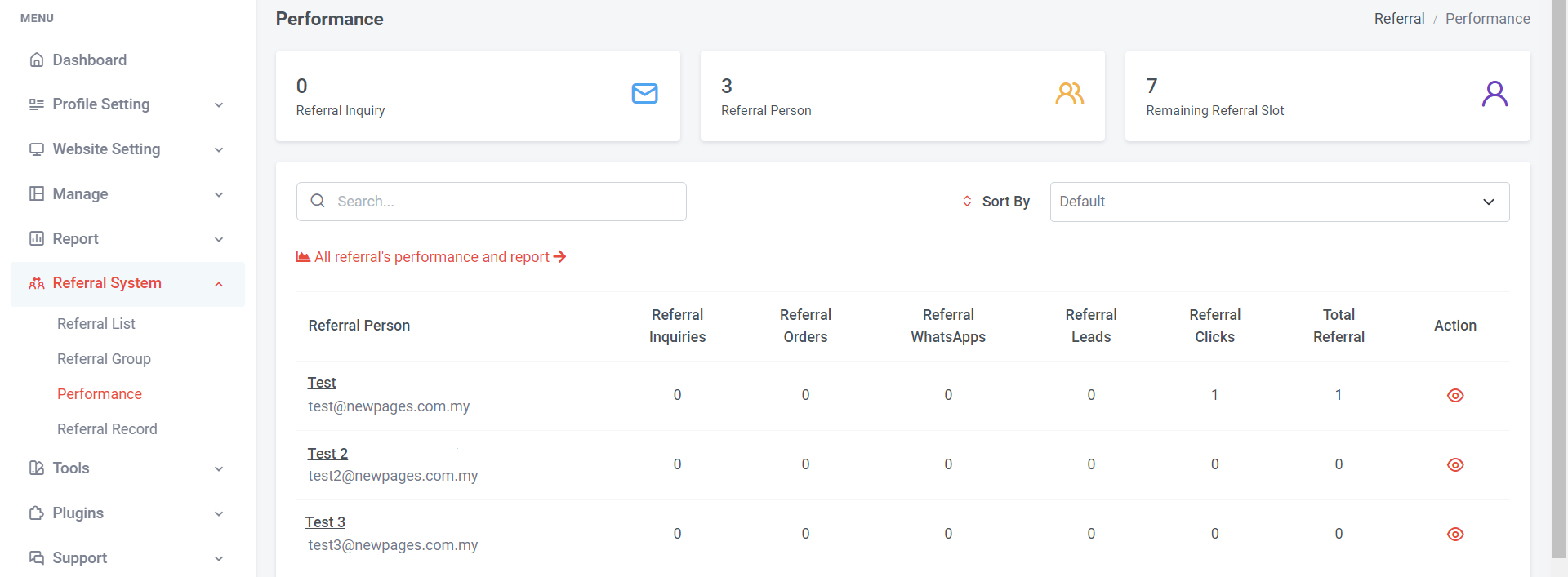
You can view referral inquiries, orders, WhatsApp interactions, leads, clicks, and total referrals based on the list.
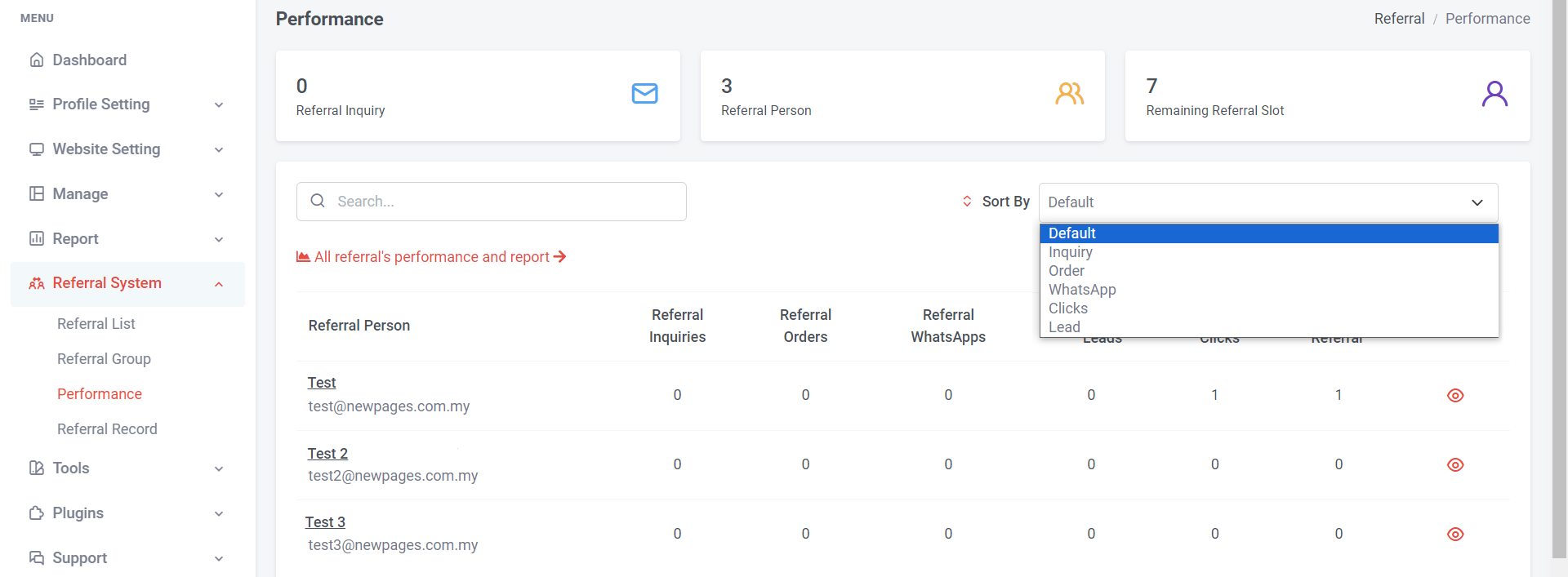
Alternatively, you can sort by referral actions.
a) To view all referral’s performance and report
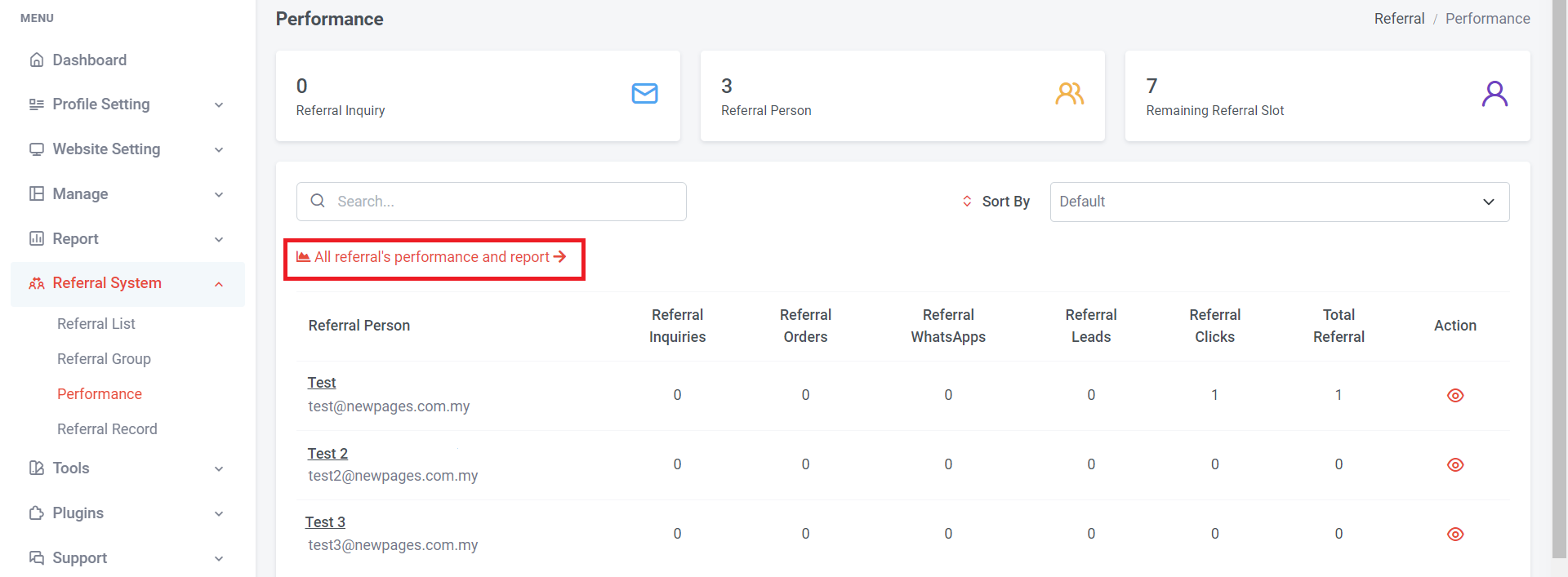
Step 1: You can click “ All referral’s performance and report”
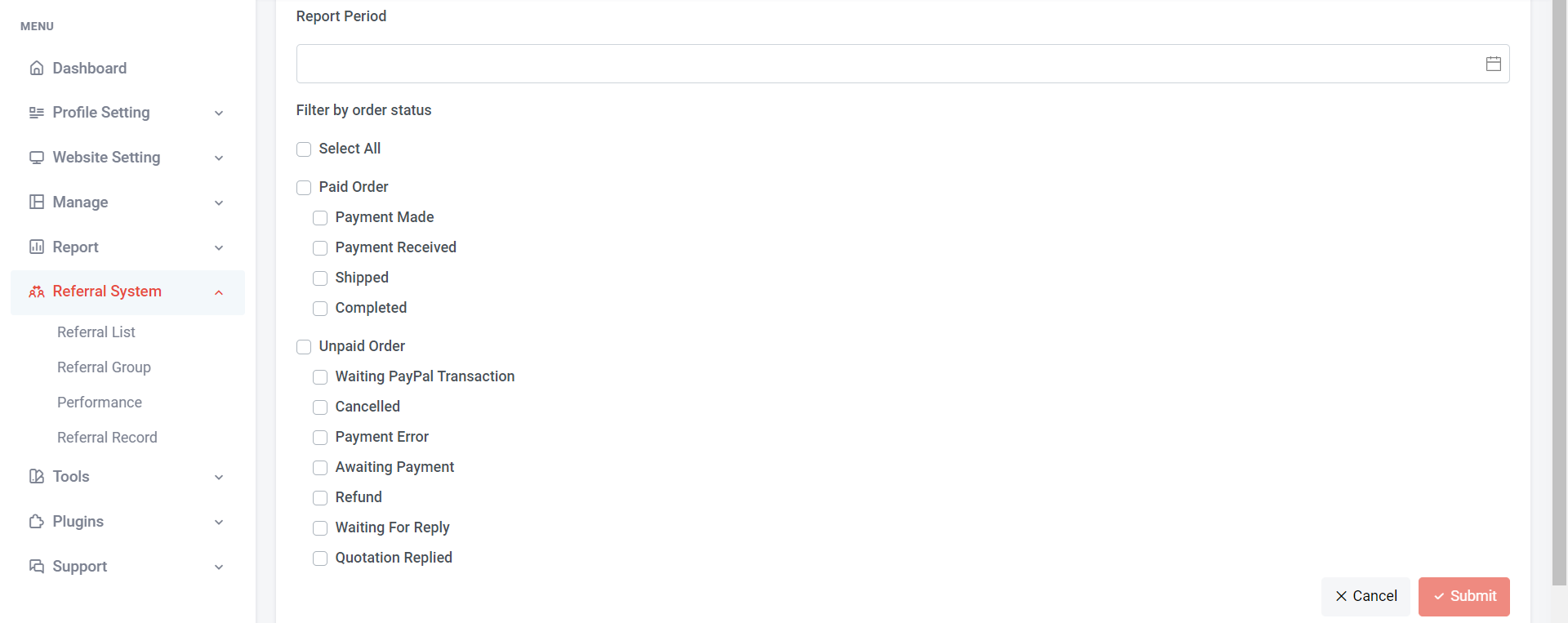
Step 2: Select the start time and end time for the report period you wish to view.
Step 3: Filter by order status, you can choose to select all order status, or specific order status.
Step 4: Click “Submit”
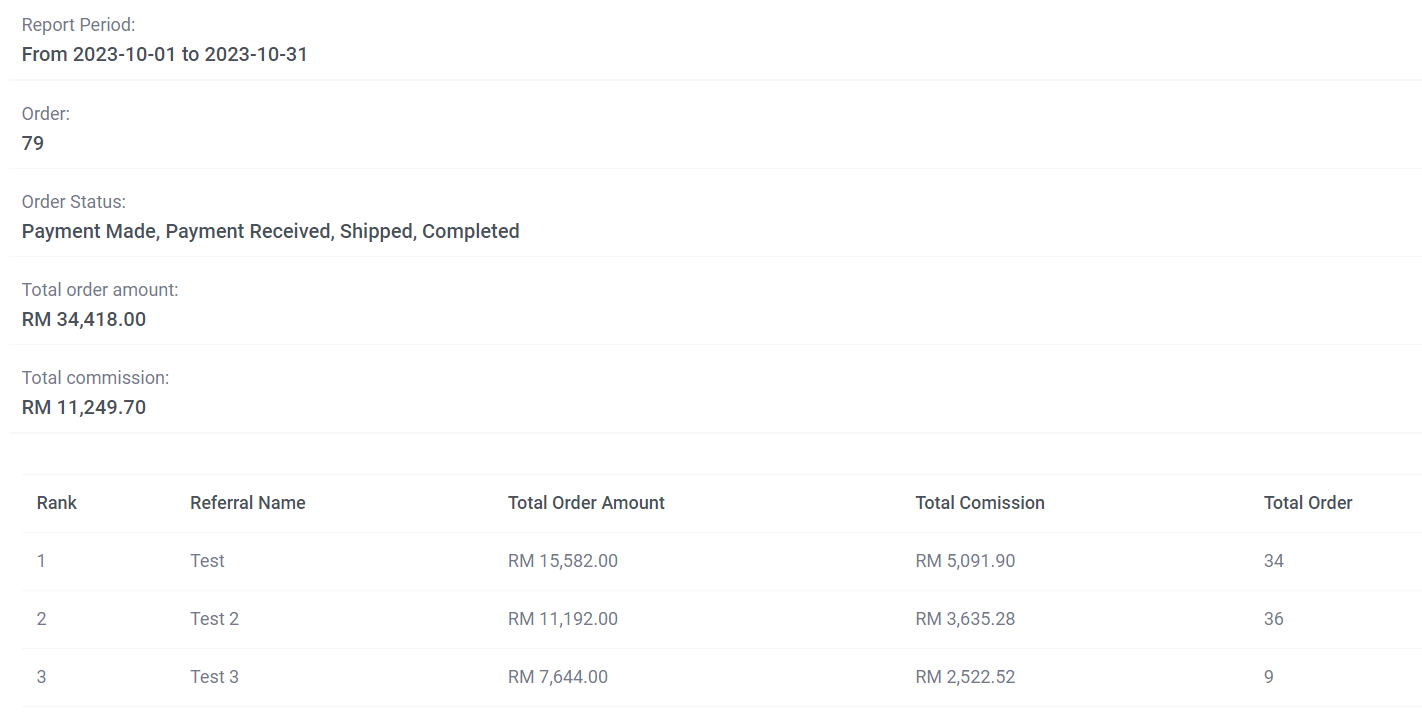
The report will show the detail information
b) To view individual referral’s performance and report
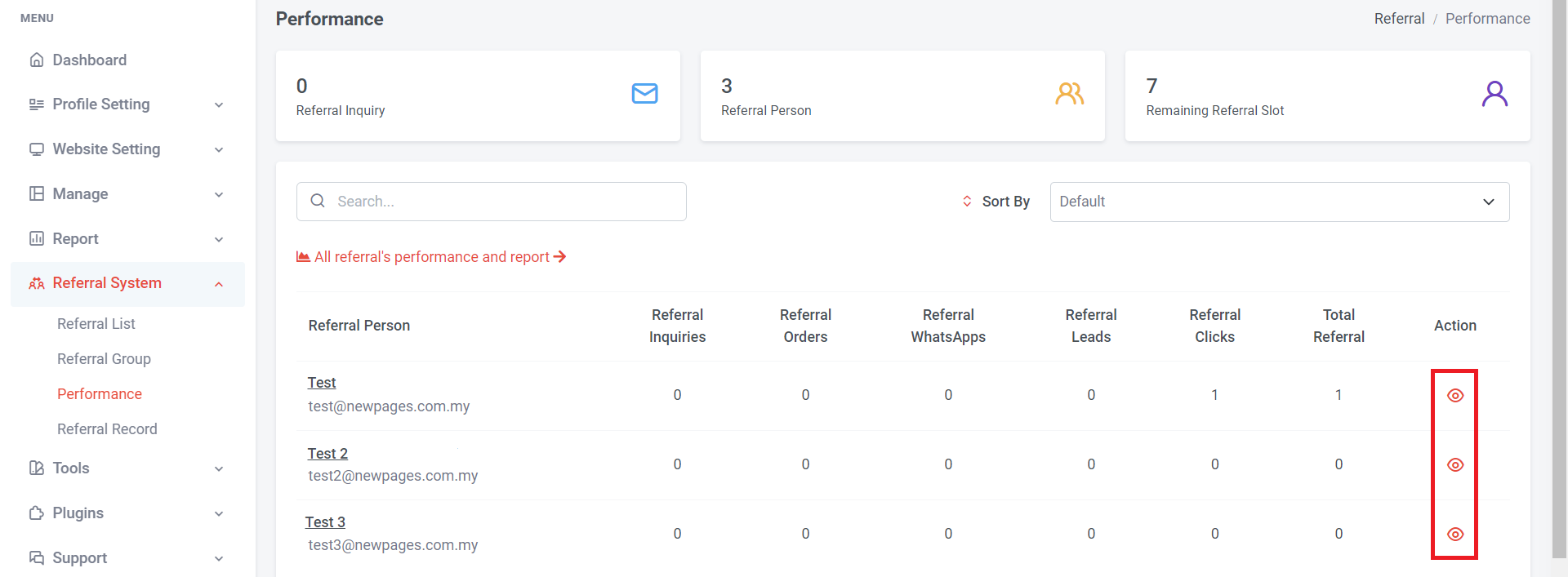
Step 1: Click eye icon
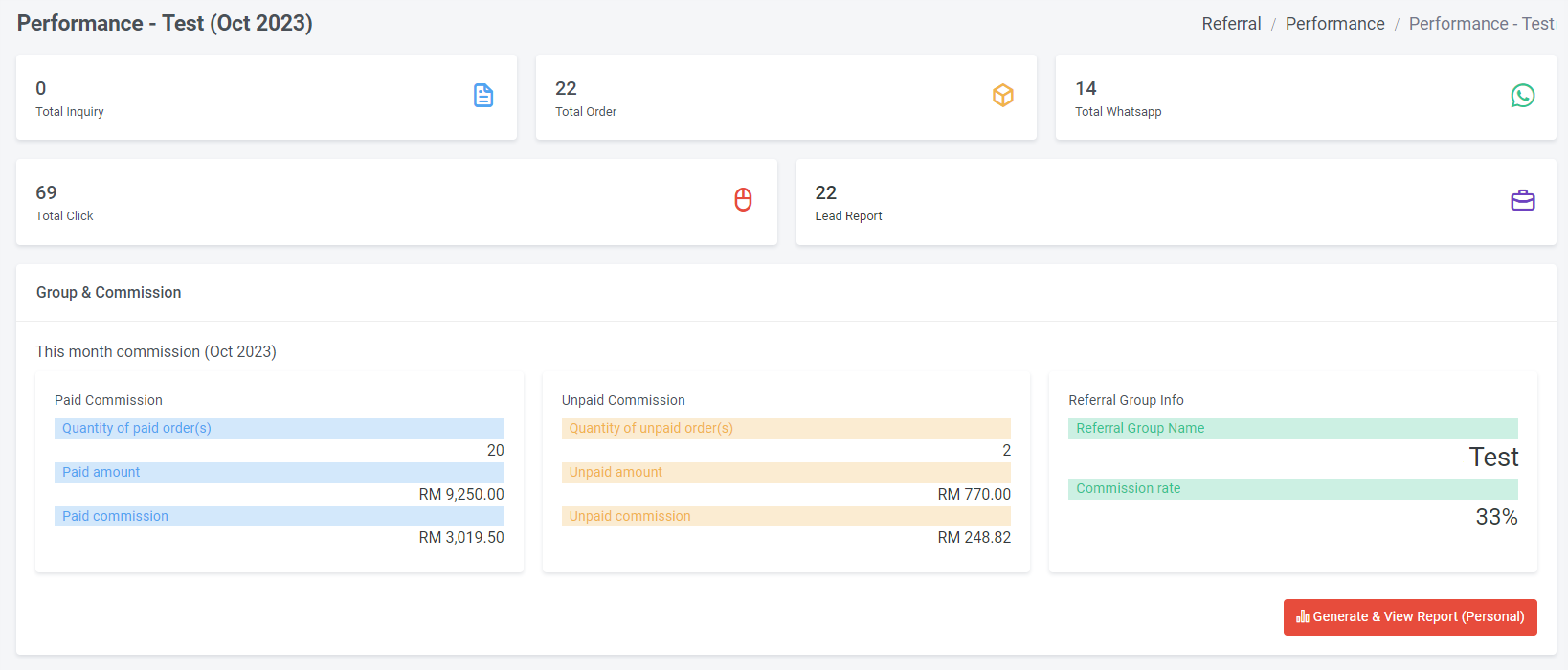
Step 2: You can view all the performance and report details on this page for the current month.
Step 3: If you wish to view previous month individual referral report, can click “Generate & View Report (Personal)”
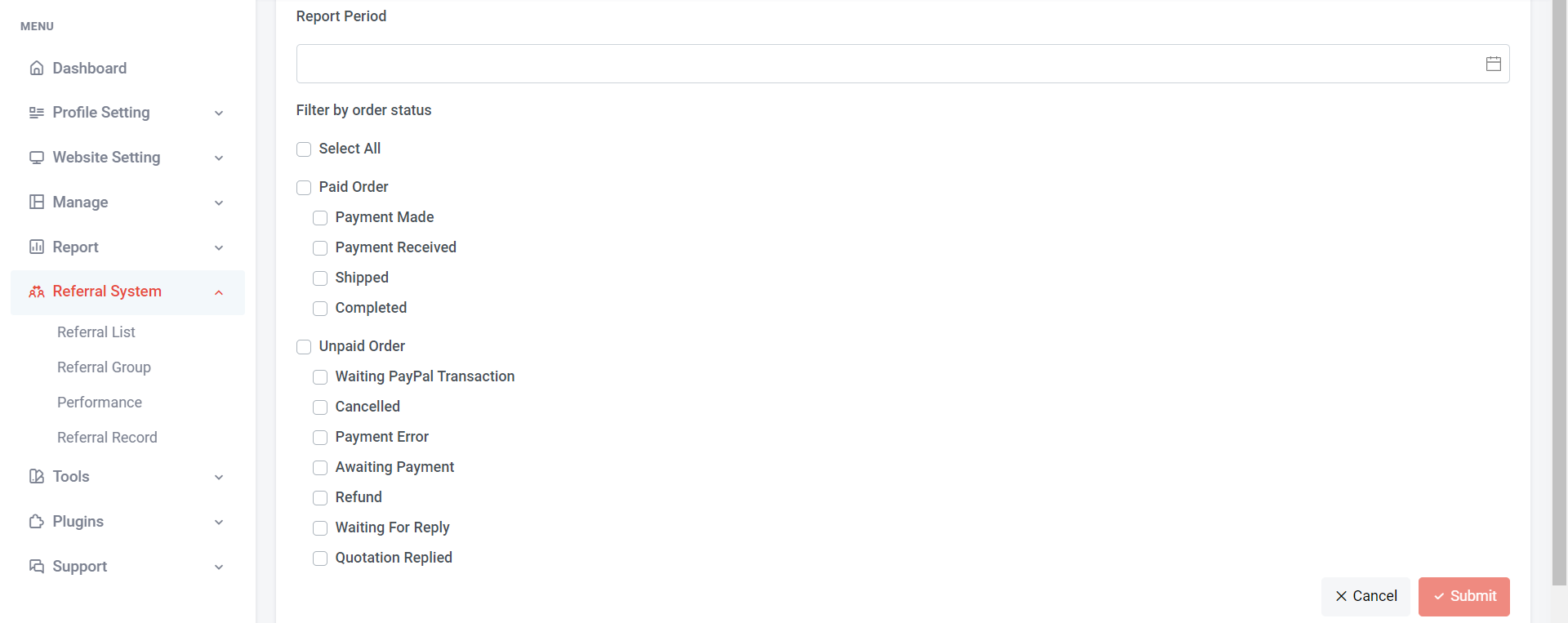
Step 4: Select the start time and end time for the report period you wish to view.
Step 5: Filter by order status, you can choose to select all order status, or specific order status.
Step 6: Click “Submit”
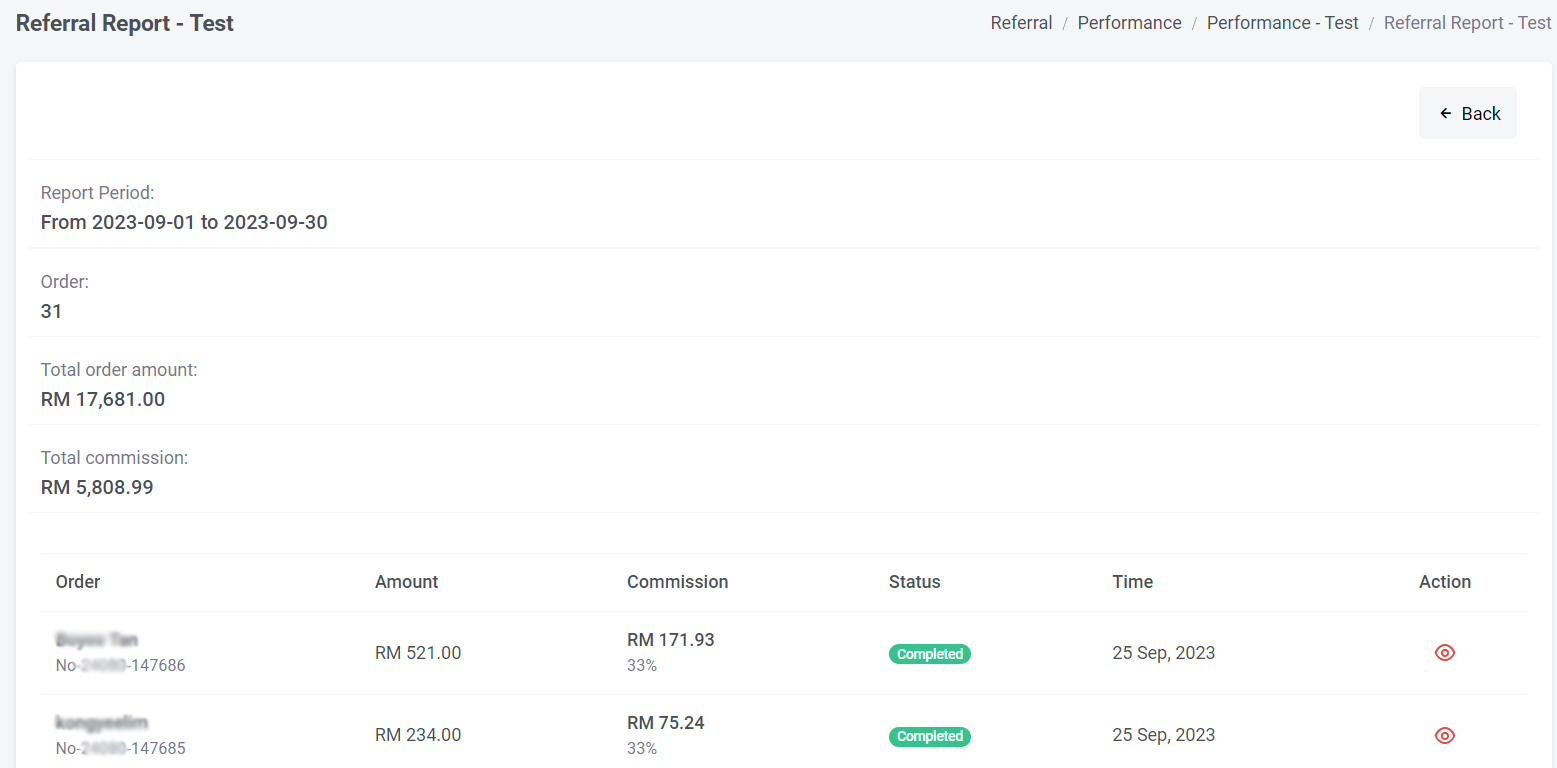
You can view all the performance and report details on this page for the selected period.
c) To view referral records
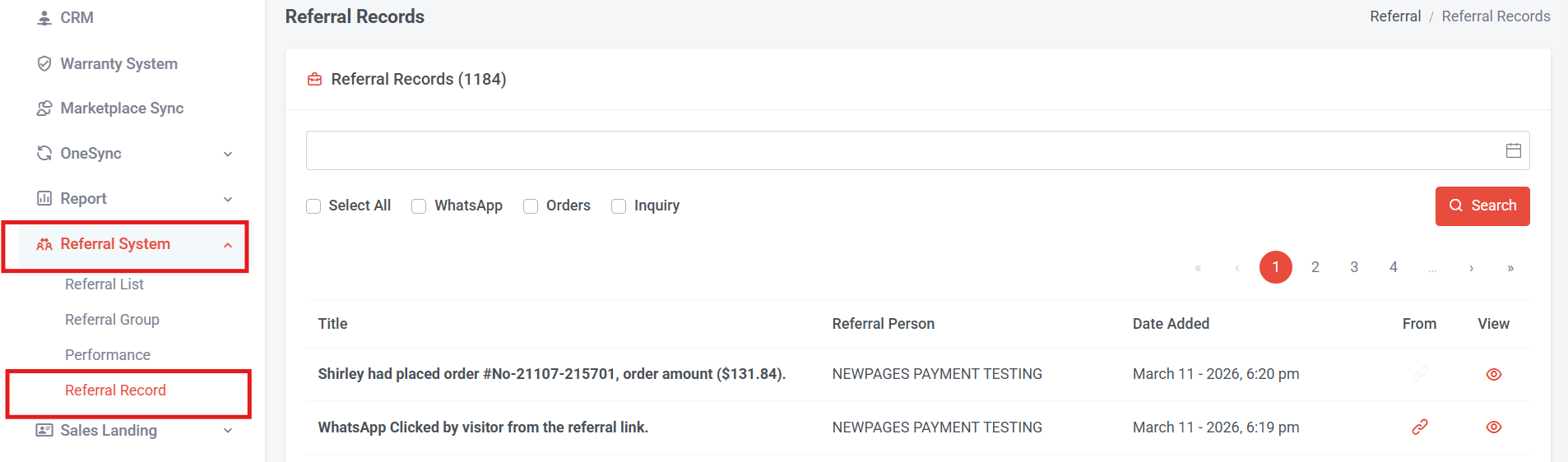
You can filter your referral records by WhatsApp, Orders, or Inquiries. Follow the steps below to apply the filter.
Step 2: Select the start time and end time for the report period you wish to view.
Step 3: Select all, or choose only WhatsApp, only orders, or only inquiry.
Step 4: Click “Search”
You can also scroll down to view the referral records directly at the bottom.
Explanation of the Columns
-
Title – Shows how the lead was generated (for example, from a WhatsApp click or a new order).
-
Referral Person – The name of the person who referred the lead.
-
Date Added – The date when the referral brought in the lead.
-
From – The webpage link where the audience clicked the WhatsApp button.
-
View Icon – For orders, you can click this icon to view the order that was generated by the referral person.
d) Order details check referral information

You can also check referral details in Order Management.
Step 1: Go to My Sales > My Orders
Step 2: Select the order
Step 3: Scroll to the Referral Details section
Here, you will see which referral led to this order. If you have set a commission percentage, this section will also display the commission rate and the amount earned by the referral for this order.
Section 4: How to Check Temporary Referral Performance and Records
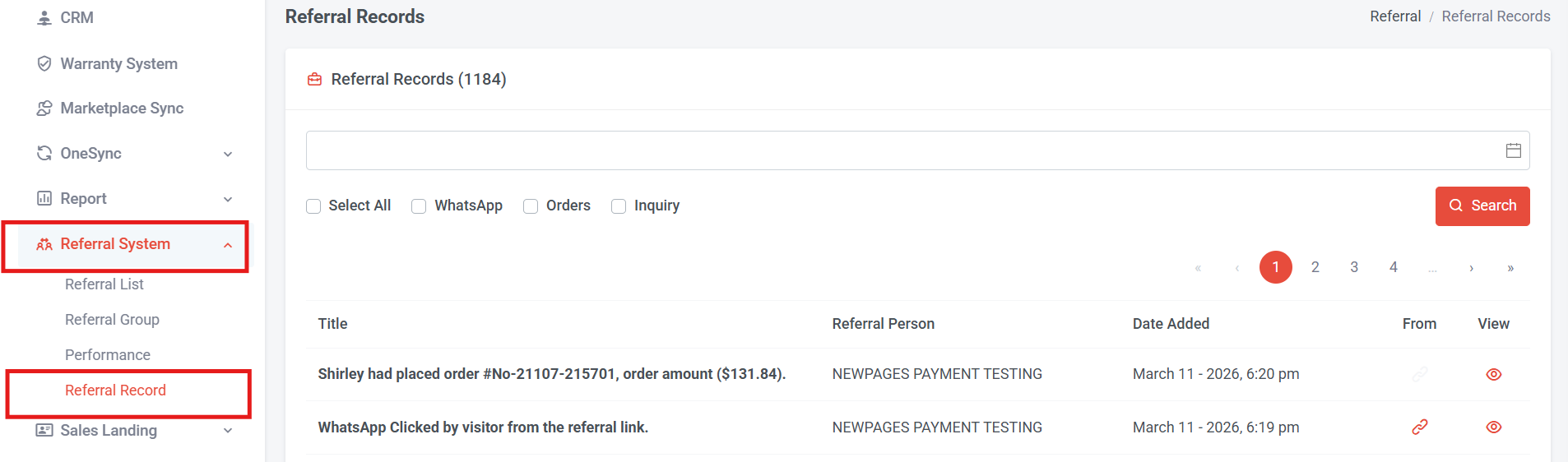
You can filter your referral records by WhatsApp, Orders, or Inquiries. Follow the steps below to apply the filter.
Step 2: Select the start time and end time for the report period you wish to view.
Step 3: Select all, or choose only WhatsApp, only orders, or only inquiry.
Step 4: Click “Search”
You can also scroll down to view the referral records directly at the bottom.
Explanation of the Columns
-
Title – Shows how the lead was generated (for example, from a WhatsApp click or a new order).
-
Referral Person – The name of the person who referred the lead.
-
Date Added – The date when the referral brought in the lead.
-
From – The webpage link where the audience clicked the WhatsApp button.
-
View Icon – For orders, you can click this icon to view the order that was generated by the referral person.

For orders, after you click this icon , the system will redirect you to the specific order. You can then scroll to the Referral Details section. Since temporary referrals are for earning points and not commission-based, the commission rate and amount will be 0.